 Norvane Systems
Why it’s so hard to stop scrolling in bed
- Feeds never end. There’s always another post, so there’s never a natural place to stop.
- The phone is already in your hand. You need it for your alarm, music or a podcast, and the feeds are one swipe away.
- You’re tired. Stopping takes a decision, and late at night decisions are the hardest part.
- Bad news is hard to look away from. One headline leads to the next.
You’re far from alone. In a 2025 survey of 2,007 U.S. adults by the American Academy of Sleep Medicine, 38% said doomscrolling or viewing news on their phone before bed makes their sleep worse, rising to 46% among 18- to 24-year-olds (AASM, 2025).
Decide when to stop before you start
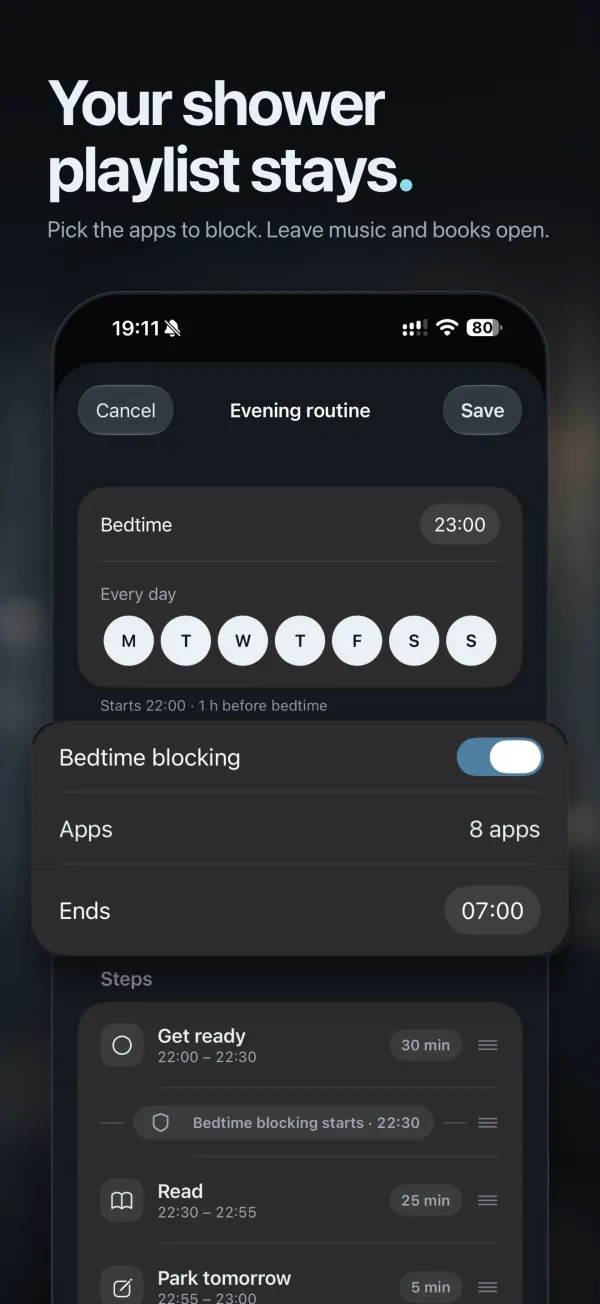
“After this video” never comes. A clock time does. Before you get into bed, pick the time your phone goes down and the time you’ll start getting ready. To find the start time, count back from bedtime by how long it takes you to get ready.
Put the feeds away and keep what you need
The easiest scroll to stop is the one that never starts. Block the apps that pull you in at night, usually social, video and news, from your start time until morning. Keep the ones that help you wind down: music, audiobooks, podcasts and your alarm.
In Unhaste, Bedtime blocking does this every night, starting at the step of your evening you choose and ending at the morning time you set. Step-by-step guides: block Instagram, TikTok or YouTube at night.
Make every open a decision
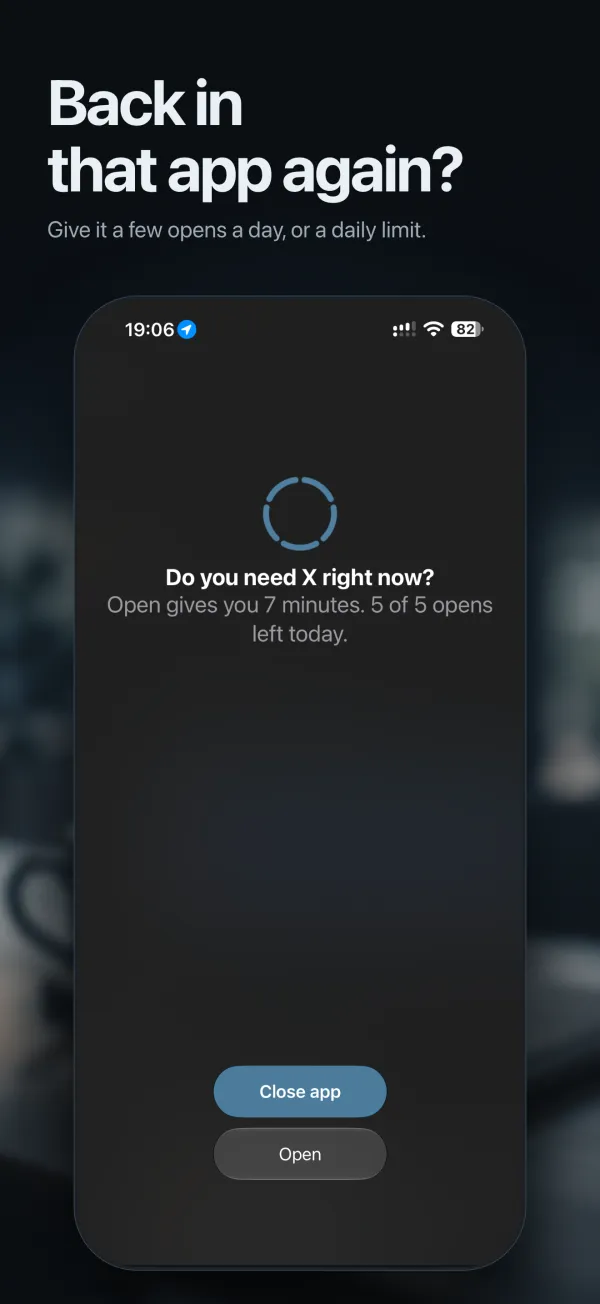
Sometimes you do need an app at night. Instead of blocking it outright, give it a few opens a day. Before each one, Unhaste asks “Do you need it right now?” and unlocks only that app, for only the minutes you chose. That one moment is often all it takes to put the phone down. See every way Unhaste blocks apps.
Have something better to reach for
Scrolling fills a gap, so fill it first. Keep a book on your nightstand, start a shower playlist, put on an audiobook, or stretch for ten minutes. A short bedtime routine gives every evening a few things to do instead. Here are three routines you can copy.
Park the thoughts that keep you checking
A lot of late-night checking is really remembering: an email to send, a bill to pay. Write it down and let it wait until morning. In a 2018 sleep-lab study, young adults who spent five minutes writing a to-do list before bed fell asleep faster than those who wrote about tasks they’d already finished (Scullin et al., 2018).
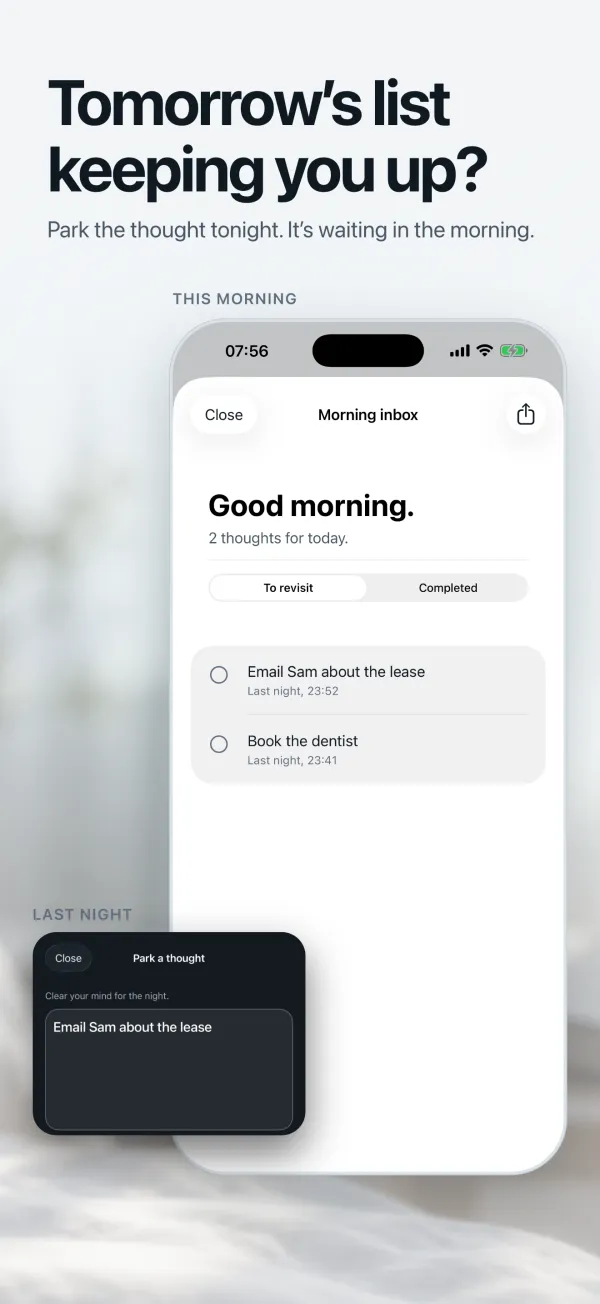
Unhaste’s Tomorrow inbox works even while your apps are blocked. Park a thought in seconds, and it’s waiting for you in the morning. More on doing a brain dump before bed.
Make it automatic
The best plan is the one you don’t have to remember at midnight. Set your evening up once, and Unhaste switches the feeds off at the same point every night, so stopping is the default instead of a decision. For the bigger picture, read about revenge bedtime procrastination.
Questions and answers
What is doomscrolling?
Doomscrolling is scrolling through endless feeds, often bad news, long after it stopped being useful or enjoyable. At night it usually means staying up later than you meant to.
How do I stop scrolling on my phone at night?
Pick a time to stop before you get into bed, block social, video and news apps from then until morning, and keep music, audiobooks and your alarm available. Unhaste does this for you every night.
Will blocking apps at night stop my alarm or music?
No. Unhaste blocks only the apps you choose, so your alarm, music, audiobooks and everything else keep working.