 Norvane Systems
Why limit opens instead of minutes?
Most phone time isn’t one long session. It’s dozens of quick checks: a glance at Instagram in line, a scroll while the kettle boils, one more look before bed. A daily time limit still allows forty of those checks, as long as each one is short.
An open limit goes after the habit itself. With only a few opens a day, every open counts, so you start asking whether this one is worth it.
Can iPhone Screen Time limit app opens?
Not by count. iPhone’s built-in Screen Time limits how long you use an app, or blocks it on a schedule, but it doesn’t cap how many times you open it. For that, you need an app built on Apple’s Screen Time technology that adds open limits, like Unhaste.
How to limit app opens with Unhaste
- Download Unhaste and allow Screen Time access.
- On the Blocking tab, tap + and choose the apps or websites to limit.
- Choose A few opens a day.
- Set how many opens you get, from 1 to 20, and how long each one lasts, from 1 to 60 minutes.
- Share the opens across every app in the block, or give each app its own.
- Pick when the limit applies: all day, or at set hours on the days you choose.
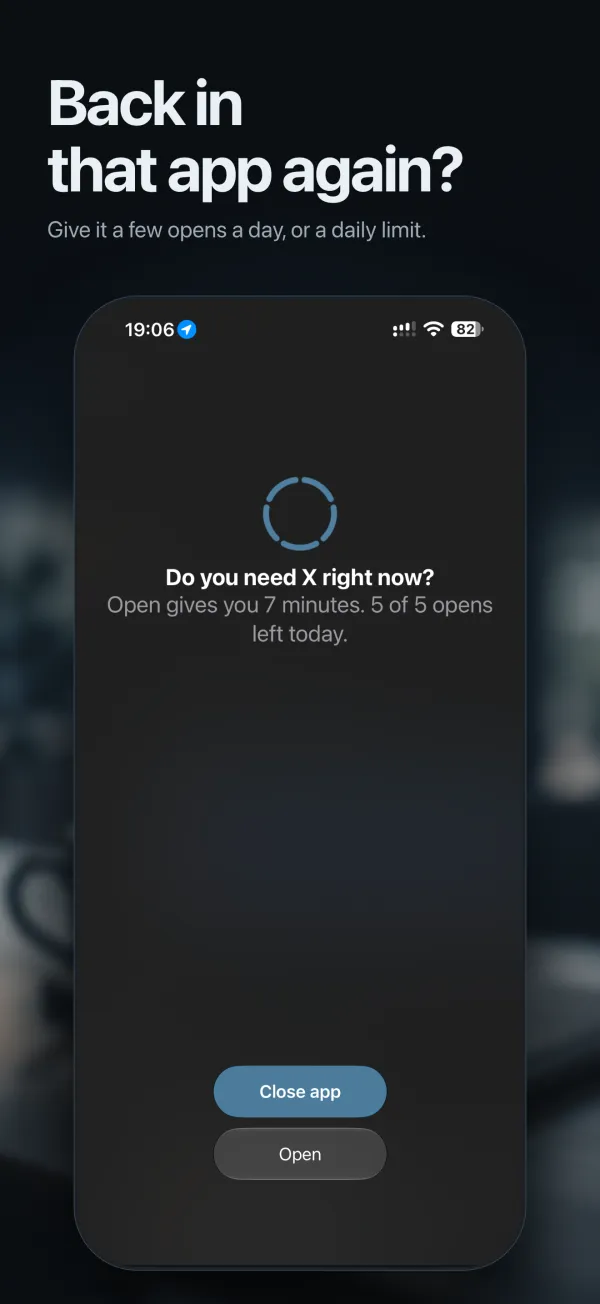
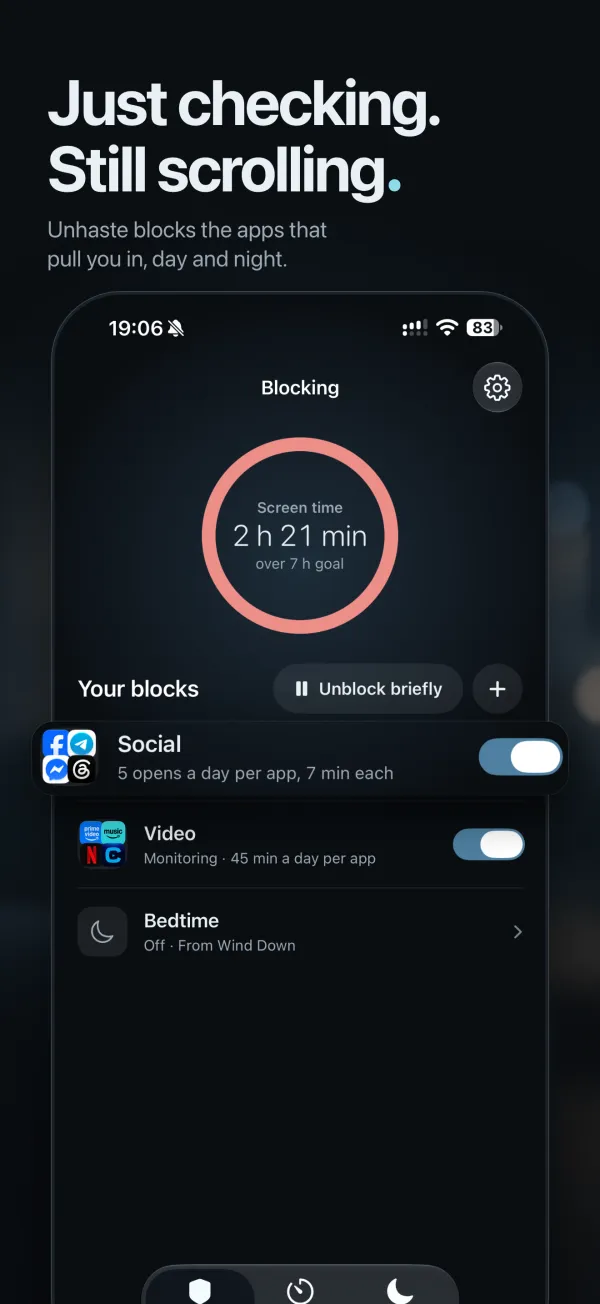
What happens when you open a limited app
Instead of the feed, you see one question: “Do you need Instagram right now?”, with the opens you have left. Tap Close app and nothing is spent. Tap Open, and Unhaste unlocks just that app for the minutes you chose, without opening Unhaste.
Done early? Relock closes the app again straight away. Switching back to it during those minutes doesn’t use another open. Once the opens are used up, the app stays closed for the rest of the day, and tomorrow you start fresh.
How many opens should you allow?
Start with fewer than you think you need; you can always add more. Some starting points:
| Apps | Try |
|---|---|
| Social apps | 3 to 5 opens of 5 to 10 minutes |
| Short-video apps | 2 opens of 15 minutes |
| News | 2 opens of 10 minutes |
| Shopping | 1 open of 10 minutes |
| Games | 1 open of 30 minutes |
Pair open limits with Bedtime blocking, so the same apps switch off completely at night. Here’s every way Unhaste blocks apps.
Questions and answers
Can I limit how many times I open a website?
Yes. Add websites to a block with A few opens a day, and each visit through the block screen counts as an open, just like an app.
Does switching back to an app use another open?
No. Once you’ve opened an app, coming back to it during its minutes doesn’t use another open.
Can each app get its own opens?
Yes. Choose Each app, and every app in the block gets its own opens. Choose Together to share them across the block.
When do my opens reset?
Every day. Open limits count one day at a time, so tomorrow starts with a full set.